Chip Hippo User Guide
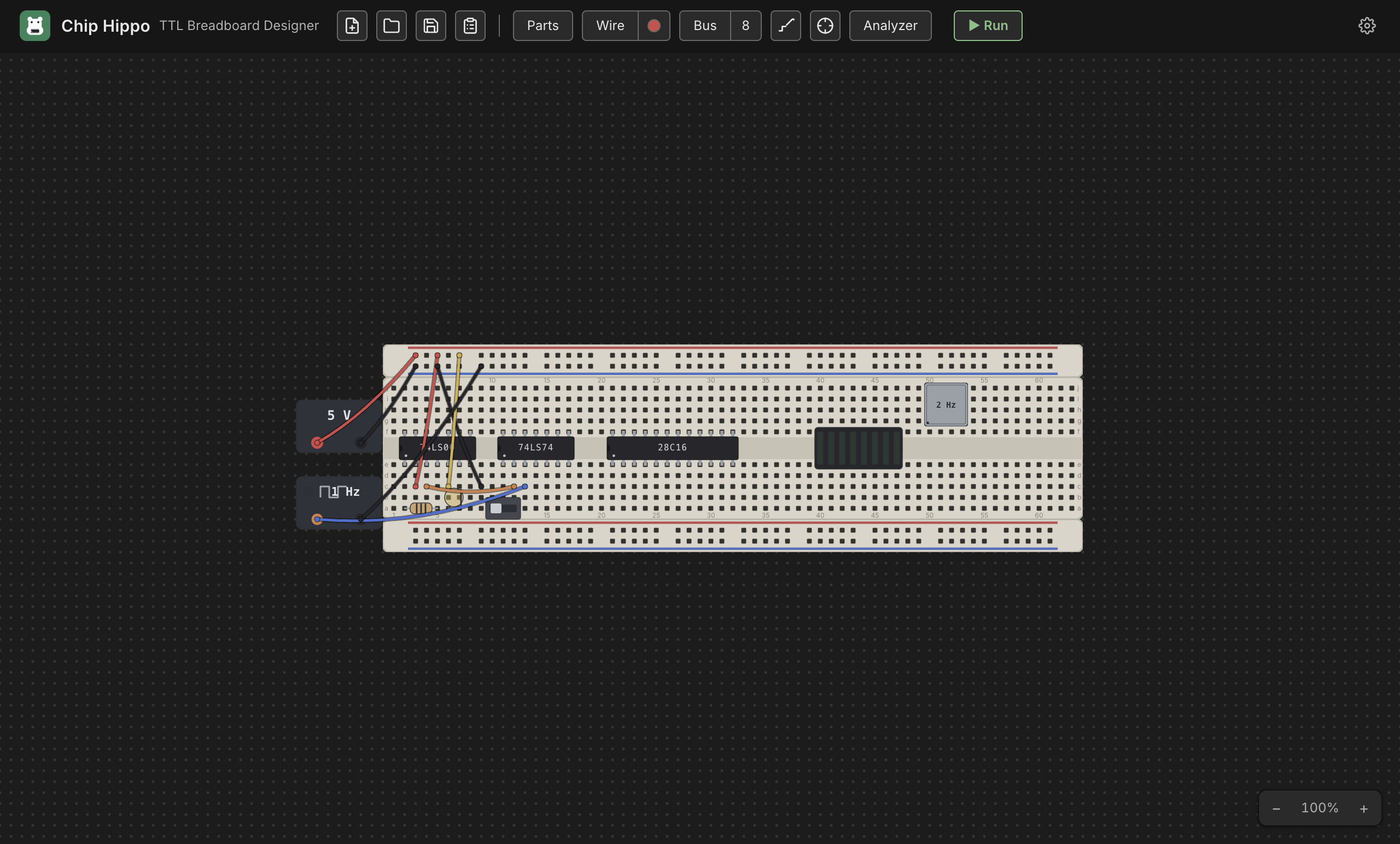
Chip Hippo is a desktop app for designing and simulating 74xx TTL logic circuits on virtual solderless breadboards. Place a breadboard on the infinite desk, populate it with 74xx DIP chips, wires, switches, LEDs, and power sources, then press Run — a simulation engine traces electricity from every power source, resolves each electrical net, and ripples changes through the circuit exactly like a real breadboard would.
What you can build
Anything a logic breadboard bench can hold, from two families — 74LS TTL and CD4000 CMOS: combinational logic (gates, decoders, multiplexers), sequential logic (flip-flops, counters, shift registers), a free-running or manually stepped clock, and small memory circuits backed by ROM/RAM chips — all wired across Full/Half/Tiny breadboards, powered at 3 V to 15 V, and watched settle live. Beyond the 74xx shelf there is a PROCESSOR group — a W65C02 and a Zilog Z80A, each a full instruction-set simulation — and an Interface group of 65xx peripherals (a PIA and a VIA), for building a small single-board computer out of the same glue logic.
Highlights
- Breadboard-accurate placement — chips, wires, and discretes snap to the real 0.1 in hole grid, with the same row-half/trench/rail tie-point rules as a physical board.
- Live simulation — Run the circuit and watch LEDs light, chip health badges report power/damage state, and switches drive the circuit live.
- Deep inspection tools — a connectivity probe, net names/labels, and a logic analyzer for capturing waveforms.
- Memory chips with a hex inspector — file-backed ROM/EEPROM images you program with an in-app programmer, plus a live hex/ASCII viewer.
- A derived schematic view — press
Tabto flip between the physical breadboard and a logical diagram of chip symbols, routed named nets, and bus lines, kept in sync with the desk. - Build guide & BOM export — including a numbered cutting list of every jumper — and undo/redo across every edit, per desktop of the open project.
- Seven languages — English, German, Spanish, French, Italian, Japanese and Chinese, chosen in Settings ▸ Appearance (this guide is English only).
- An AI circuit builder — describe a circuit in words, using your own AI connection, and get a wired design that has already been built and run before you're offered it.
- A link to real hardware — Outputs and Inputs carry values between the running circuit and an Arduino over USB, and Chip Hippo writes the sketch's side of the link for you.
Table of contents
Getting started
- Getting Started — install the app, place your first board and chip, and run your first circuit.
Building a circuit
- The Desk & Breadboards — pan/zoom, breadboard kits, strips and rails, snapping and grouping.
- Veroboard — stripboard in standard and custom sizes, cutting the copper, and its underside in 3D.
- Chips & Components — the parts palette, DIP chips, discretes, placement and rotation.
- Wiring, Nets & Buses — the wire tool, colors, cross-board wires, and multi-bit buses.
- Power & Clock Sources — PSU bricks, voltage and the over-voltage damage rule, and clock sources.
- The Chip Library — the catalog: 74LS and CD4000 logic, memory, the 65xx interface parts and the CPUs, and the pin-assignments/datasheet window.
- Custom Chips — design a chip of your own: its package, its behaviour in a subset of Verilog, and a debugger to step through it while the circuit runs.
Simulating & inspecting
- Running a Simulation — Run/Stop/Pause/Step, the settle model, and live views.
- Spice Lite — the more electrical simulation: charging capacitors, gate delays, output and supply current limits, and wire resistance.
- Probing & Net Names — the connectivity probe and naming nets.
- The Multimeter — a bench meter on two probes: volts, ohms, continuity, diode test and current, loading and fuses included.
- Memory Chips & the Inspector — ROM/RAM, the programmer, and the hex/ASCII inspector.
- Logic Analyzer & Timing — capturing and reading waveforms.
- Schematic View — the derived logical diagram.
- 3D View — the desk stood up in three dimensions, to orbit round.
- AI Circuit Builder — describe a circuit in words and get a simulation-proven design, using your own AI connection.
- Arduino Integration — pass values between the running circuit and a real Arduino over USB, with the sketch's header generated for you.
Files & reference
- Build Guide & BOM — deriving a bill of materials, a jumper cutting list, and an ordered assembly checklist.
- Files, Saving & Undo — where a desktop and a project are kept, saving them, and undo/redo.
- Projects & Desktops — tabbed desktops, saving a project, and copying a design from one desktop onto another.
- Exporting to Other Tools — writing a desktop out as a KiCad schematic or a Digital circuit.
- Chip Hippo in the Browser — the web version: which browser, where your work is kept, and what differs from the desktop app.
- Settings — the settings dialog and its options.
- Keyboard Shortcuts — every shortcut in one place.