


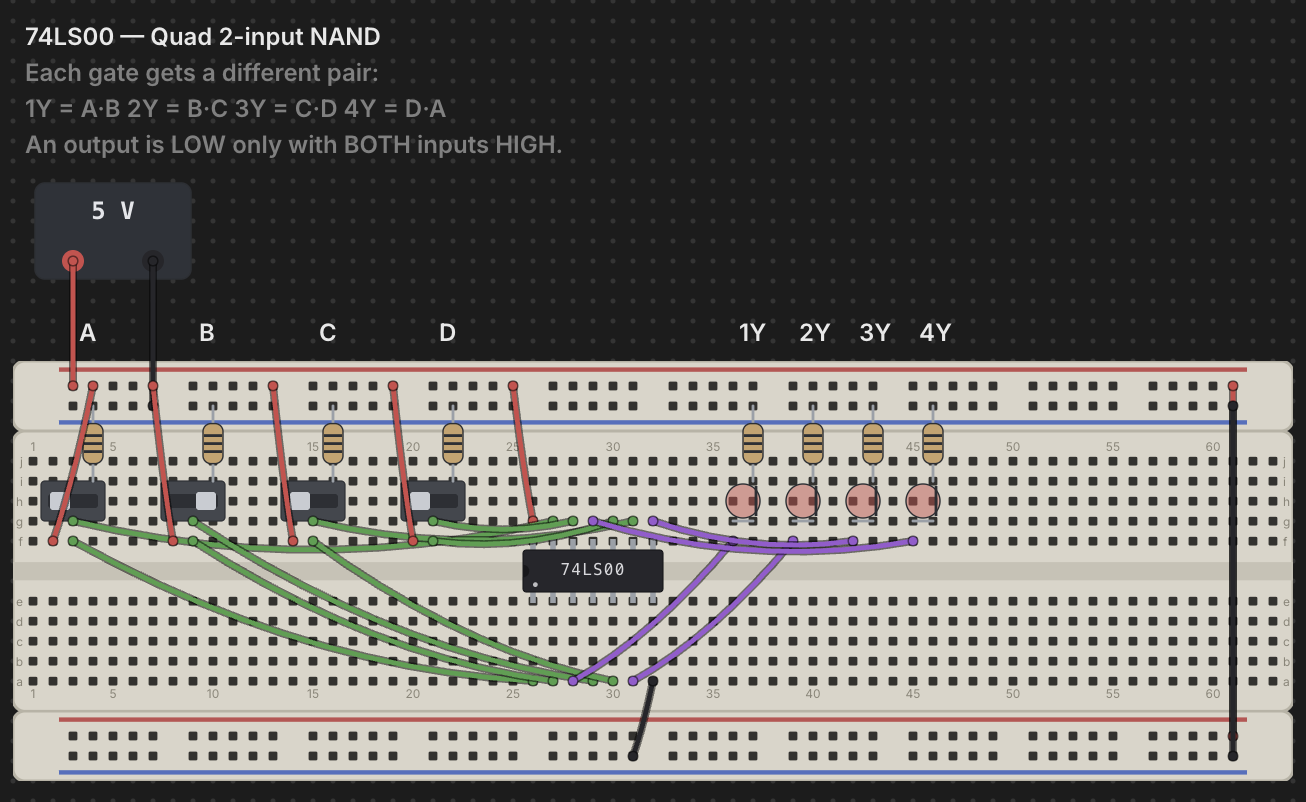
Chip Hippo is a desktop playground for TTL and CMOS circuits. Drop 74LS and CD4000 chips onto an infinite desktop, wire them up, hit Run — and watch electricity ripple through every net until it settles. LEDs light, counters count, magic smoke. All offline.
macOS · Windows · Linux · Free & open source
Features
Everything you need to design a 74xx or CD4000 circuit — or a whole 8-bit computer — prove it out, and take it to a real breadboard or a circuit board. Fast, keyboard-friendly, and fully offline.
An endlessly pannable, zoomable workspace. Drop Full 830, Half 400, and Tiny 170 boards — power rails and pin-boards snap together like the real thing. Hover any hole to light up its whole net and read what it carries.
The logic engine ripples every change through the circuit until it settles. Switch on Spice Lite and every wire carries a voltage: capacitors charge, LEDs dim, supplies sag under load, regulators run hot, and an overloaded part goes up in brown smoke.
Wire a W65C02 or a Z80A to ROM, RAM, a VIA and an LCD, and run real machine code. The CPU monitor shows memory, registers, flags, the stack and the instruction in flight; set breakpoints, Step, Step Over, and edit bytes as it runs. Each CPU comes with a Hello World computer to open.
53 74LS TTL and 46 CD4000 CMOS parts — gates, flip-flops, counters, decoders, muxes, shift registers, analog switches, display drivers, RC timers — plus memories, the 65xx family, the Z80A, the 555, an op-amp, a Darlington array and two optocouplers. Double-click any one for its datasheet pinout and function table.
Design your own DIP part: lay out its pins, write its behaviour in Verilog, and drop it on the breadboard like any other chip. While the circuit runs, set breakpoints and step through your code statement by statement, watching every pin and signal.
SRAM, EPROM and EEPROM on wide DIP packages. Load a binary or Intel HEX image, edit it byte by byte in the hex/ASCII inspector, and the ROM travels inside your project file.
Clocks from 1 Hz to 1 kHz, square or PWM — and under Spice Lite a triangle, sawtooth or sine. Pin any net to the logic analyzer to watch it over time, voltages included, and export the capture as SVG or PNG.
LM7805–LM7815 and LM317 regulators, a 5 or 12 V relay, the LM358 op-amp, the ULN2003A driver, 4N35 and PC817 optocouplers and an electronic load — beside transistors, diodes, capacitors, inductors, potentiometers, switches, LEDs and displays.
One click redraws every wire as a neat, board-aligned run around the parts. The build guide turns the desk into a parts list, a numbered jumper cutting list and step-by-step assembly for a real breadboard.
Flip any desk to its schematic, then export it to KiCad — ready to lay out a printed circuit board — or to Digital as a .dig circuit.
Connect the running circuit to a real Arduino, ESP32 or Raspberry Pi Pico over USB — Outputs drive the board, Inputs bring data back, and Chip Hippo writes the code.
Stand your desk up in 3D and fly around it — boards, chips, arching jumpers, and LEDs and displays that light as the circuit runs. Drag to orbit, scroll to zoom, double-click to frame. Switch it on in Settings ▸ Appearance.
Downloads
Version 1.5.0 — free to download and use. No account required. Release notes →
The Mac App Store build is signed and notarized by Apple and needs nothing bypassed. Direct downloads are currently unsigned: on macOS, right-click the app and choose Open to bypass Gatekeeper the first time; on Windows, choose More info → Run anyway at the SmartScreen prompt. See the code-signing policy for how to verify a build, or build from source.
Previous releases
Feedback
Missing a 74xx or CD4000 part, a tool, or a workflow you rely on at the bench? Feature requests are tracked on GitHub, out in the open — open one and it goes on the list.
Found a bug instead? Report it the same way. A GitHub account is required to post.